
8 min readMyTradingBuddy
Rise Prop Firm Tracker: How to Check a Payout
Use a Rise prop firm tracker to research payout activity, then trace your own payment from firm approval to Rise and your bank or crypto wallet.
Share this
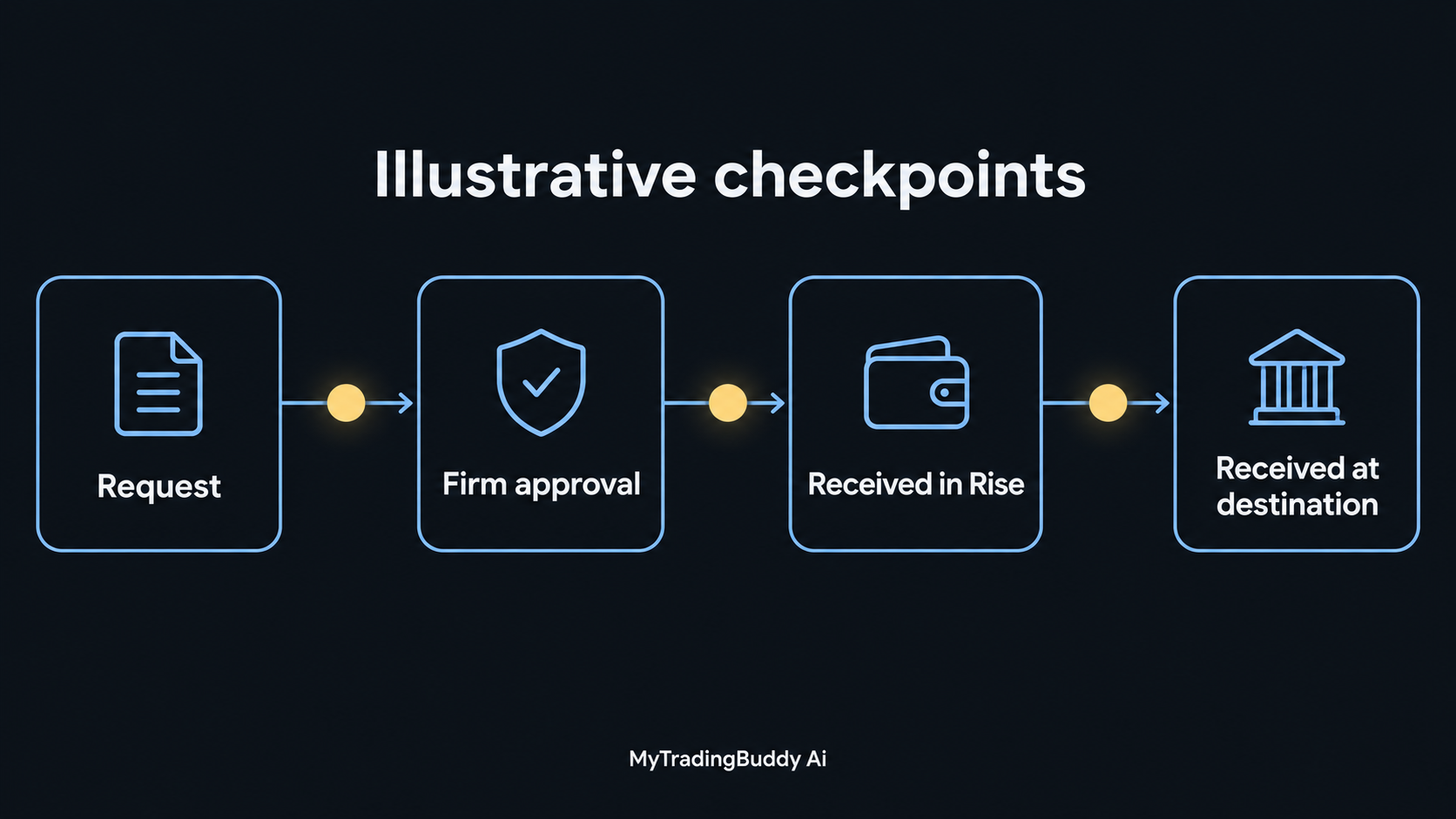
A Rise prop firm tracker can help you research a firm's recorded payout activity. To find your own money, start with the payout request in your firm's dashboard, then follow the payment into Rise and through the withdrawal to your bank or crypto wallet.
Those records answer different questions. A public leaderboard can show that a tracker observed payments associated with a firm. Your private account records show whether your particular request was approved, credited and withdrawn.
This guide explains both checks. Sources were reviewed on October 8, 2026. The worked timeline below uses invented figures and times.
What does a Rise prop firm tracker show?
There are three useful places to look, depending on what you need to establish.
| Your question | Start here | What to record |
|---|---|---|
| Has a tracker observed recent payouts from this firm? | A public payout tracker | Covered payment methods, observation period and latest update |
| Has the firm approved my request? | Your prop firm's account dashboard | Request reference, amount, approval status and timestamp |
| Where is my withdrawal now? | Your Rise account and receiving account | Payment record, withdrawal reference and evidence of arrival |
Payout Junction labels firms by tracked payout method, including Rise and direct crypto. Its figures cover observed blockchain activity, and its site explicitly warns that they may exclude other payments.
Rise itself is a payment platform. Its finance and operations overview describes payment histories, transaction statuses and reporting across fiat and crypto. That private payment workflow serves a different purpose from a public list of firms.
Use the public tracker for research. Use the records tied to your account to investigate an individual payment.
Follow the payout through four checkpoints
Our suggested tracking method is to keep a timestamp and a reference for each checkpoint. The labels below describe the process; they are not a promise that every firm's interface uses the same wording.
1. The firm receives your request
Save the requested amount, the account or plan it relates to, and the request confirmation. Also save the version of the payout rules that applies to your account.
Check what the firm's published processing window measures. Does it begin when you submit, when a review finishes, or when the payment is released? Record that definition beside the estimate.
A request confirmation establishes that you submitted something. It does not establish that the firm approved it.
2. The firm reviews and releases the payment
Look for the approval decision and a payment reference. If the dashboard only says the request is approved, ask whether the transfer has actually been initiated.
For a concrete example, Top One Trader's own payout guide separates its review from sending approved funds to a linked Rise account. It also requires the Rise account to be linked and verified. Those are that firm's instructions, not universal rules for every firm using Rise.
This is why the relevant firm's help page matters more than someone else's payout screenshot.
3. The payment appears in Rise
Match the incoming record to your firm's request using the amount, payer information, reference and date available to you. Record any difference between the approved amount and the amount credited.
If the firm says it sent the payment but you cannot identify it in Rise, ask the firm for its transfer reference and the recipient details it used. Give that reference to Rise support through the official account interface.
Do not assume two payments are the same solely because the dollar amount matches. Round amounts can recur.
4. Your withdrawal reaches its destination
Treat your withdrawal from Rise as a separate record. Save the destination type, currency or token, amount, fees shown and withdrawal reference.
For a bank withdrawal, keep the bank credit or transfer reference when available. For a crypto withdrawal, retain the network and transaction hash if provided. Then reconcile the receiving account.
Rise's GBP and EUR withdrawal article, updated October 6, 2026, distinguishes withdrawal routes and their delivery estimates. The applicable method and account matter. Check the current estimate and fee shown for your own withdrawal rather than applying a single advertised speed to the whole payout journey.
A worked payout timeline
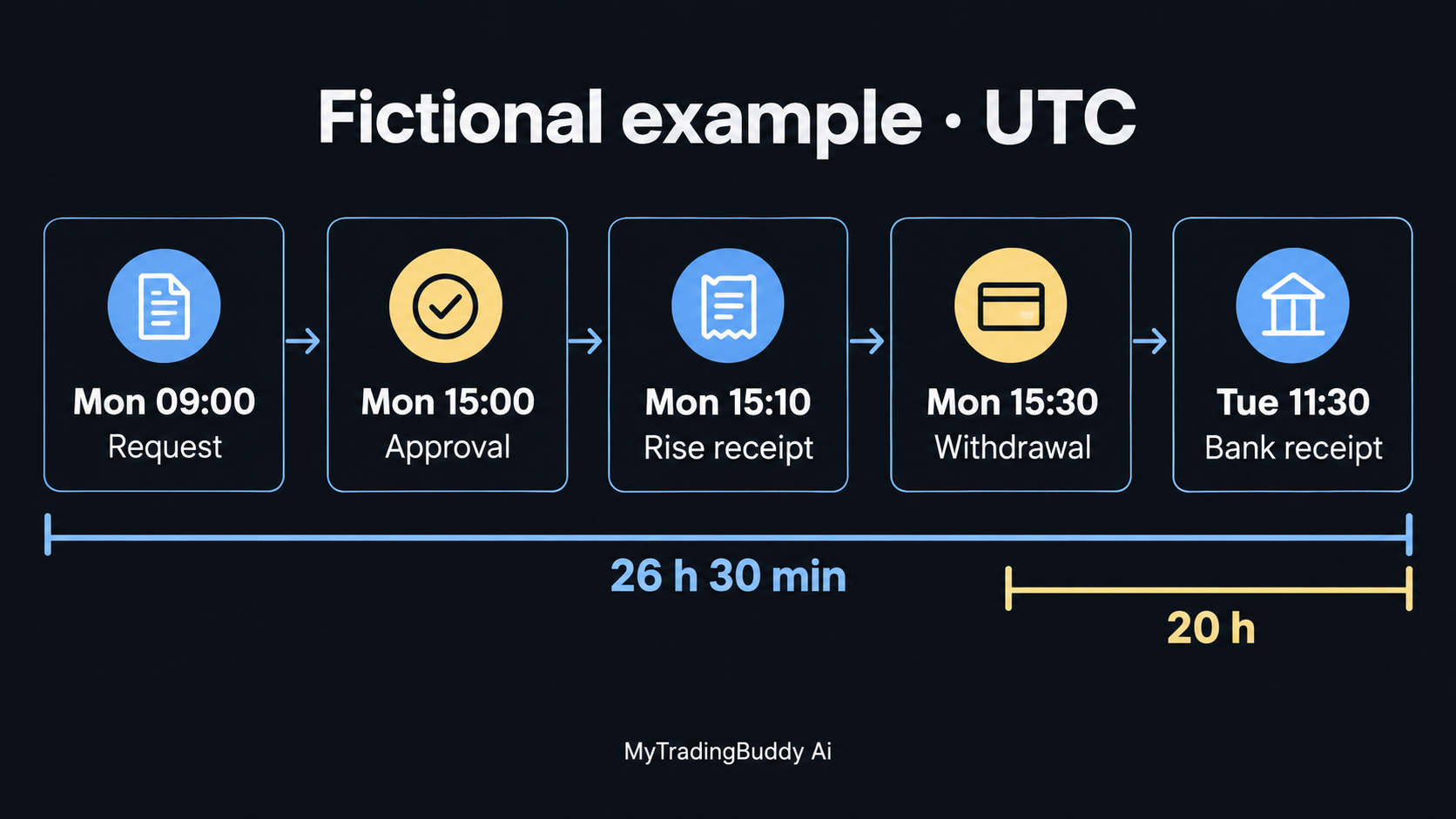
Here is an invented example showing why one payment can have several valid elapsed times. Every time is UTC, and the amounts are illustrative.
| Event | Time | Evidence saved |
|---|---|---|
| Trader requests $1,000 | Monday, 09:00 | Firm request confirmation |
| Firm approves the request | Monday, 15:00 | Approval notice |
| Matching payment appears in Rise | Monday, 15:10 | Incoming payment record |
| Trader starts the bank withdrawal | Monday, 15:30 | Withdrawal reference |
| Bank credits the payment | Tuesday, 11:30 | Bank transaction record |
The request-to-bank journey took 26 hours and 30 minutes. The request-to-approval stage took six hours. The interval from starting the withdrawal to the bank credit was 20 hours.
Calling this a “10-minute payout” would describe only the approval-to-Rise interval. Calling it a “26-hour bank transfer” would include time before the bank withdrawal started.
This example is a recordkeeping exercise, not a speed estimate for Rise or any firm. Its useful lesson is to name the start and finish of every time measurement.
How to use a Rise prop firm tracker for firm research
Open the tracker methodology before comparing totals. Make a short note covering:
- Coverage: Which payment methods and networks does it include?
- Attribution: How does it connect a wallet or payment record to a firm?
- Freshness: When did the data last update?
- Period: Are you viewing a day, a month or all available history?
- Exclusions: Which payments or transfers does it leave out?
Payout Junction's methodology says it matches counted payments to blockchain transactions and excludes payments it cannot verify through its tracked networks. Our interpretation: use its totals as a view of that dataset, not a complete statement of every payment a firm has made.
Freshness deserves its own check. When reviewed on October 8, TradingPilot's payout tracker displayed a paused feed and a June 20, 2026 data cutoff. It explained that the gap in its feed did not establish that the listed firms had stopped paying.
A recently loaded webpage can therefore contain old payment data. Record the dataset's timestamp, not just the time you opened the browser.
For a broader comparison of the tools, see our Payout Junction vs PropFirmMatch guide.
What to do when a payout appears delayed
Start with the last checkpoint you can document.
| Last confirmed checkpoint | Next question |
|---|---|
| Request submitted | Has the firm finished its review, and does it need anything from you? |
| Request approved | Has the firm initiated the payment, and what is its reference? |
| Payment received in Rise | Has a withdrawal been submitted, and are any account actions outstanding? |
| Crypto withdrawal submitted | What network and transaction hash identify it? |
| Bank withdrawal submitted | What reference and delivery estimate apply to this transfer? |
Check the official Rise status page for a relevant reported incident. A service-wide status page is useful context; it cannot resolve the status of your individual account.
Send support one clear record instead of a collection of cropped screenshots. Our suggested message is:
Please help trace payout request [reference]. The firm approved [amount and currency] at [time and timezone]. My last confirmed step is [step], with reference [reference]. The next step has not appeared as of [time]. Can you confirm the current status, any action required from me, and the applicable processing window?
Share sensitive account details only through the provider's official support channel. Keep passwords, signing keys and recovery phrases out of messages.
If the issue is a refusal or rule dispute rather than a transfer in progress, use the separate process in what to do when a prop firm payout is denied.
Keep a payout record you can actually use
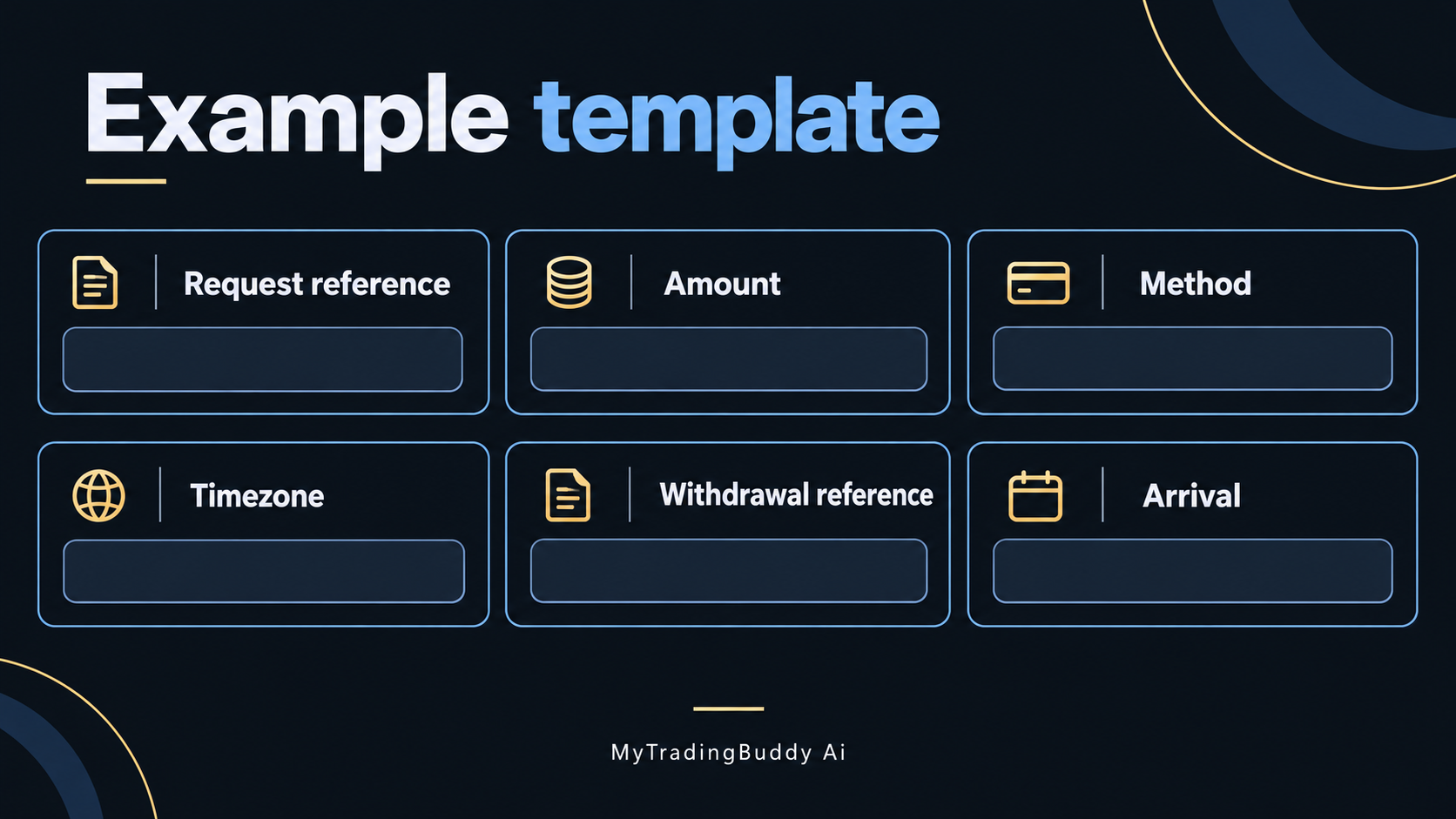
Create one row per request. We suggest these fields:
- Firm, account or plan, request reference and requested amount.
- Request date, approval date and each timezone.
- Amount credited to Rise and the incoming reference.
- Withdrawal method, destination currency or token, and network where applicable.
- Withdrawal reference, any transaction hash, and fees shown.
- Amount received, arrival date and outstanding support case.
Keep the original amounts in their original currencies. If you also calculate a value in your home currency, record the conversion date and rate separately. That makes it easier to explain a difference without confusing a fee, conversion or partial payment with missing funds.
Common questions about Rise payout tracking
Does a public tracker prove my payout arrived?
No. Match your own request to your private payment and withdrawal records. An aggregate firm total is not a receipt for your individual transfer.
Does a missing firm or an empty day mean it has stopped paying?
That conclusion requires more evidence. Check the tracker's coverage and update notice, then ask the firm about the payment method relevant to your account.
Can a blockchain explorer resolve a bank withdrawal?
An explorer reads blockchain records. It does not show the final credit on your bank statement. Etherscan also explains that its block explorer indexes public activity and cannot reverse or redirect payments.
Where does MyTradingBuddy Ai fit?
Payout tracking helps you organize payment evidence. MyTradingBuddy Ai helps you review chart screenshots across timeframes and check a setup against your trading plan.
Once your payment records are organized, bring that same discipline to the next trade: review the chart, check your plan and make your own decision. Get started with MyTradingBuddy Ai.