
8 min readMyTradingBuddy
Prop Firm Crypto Payout Tracker: Verify the Payment
Use a prop firm crypto payout tracker to check the network, transaction hash, token, recipient and amount, and understand what blockchain proof leaves out.
Share this
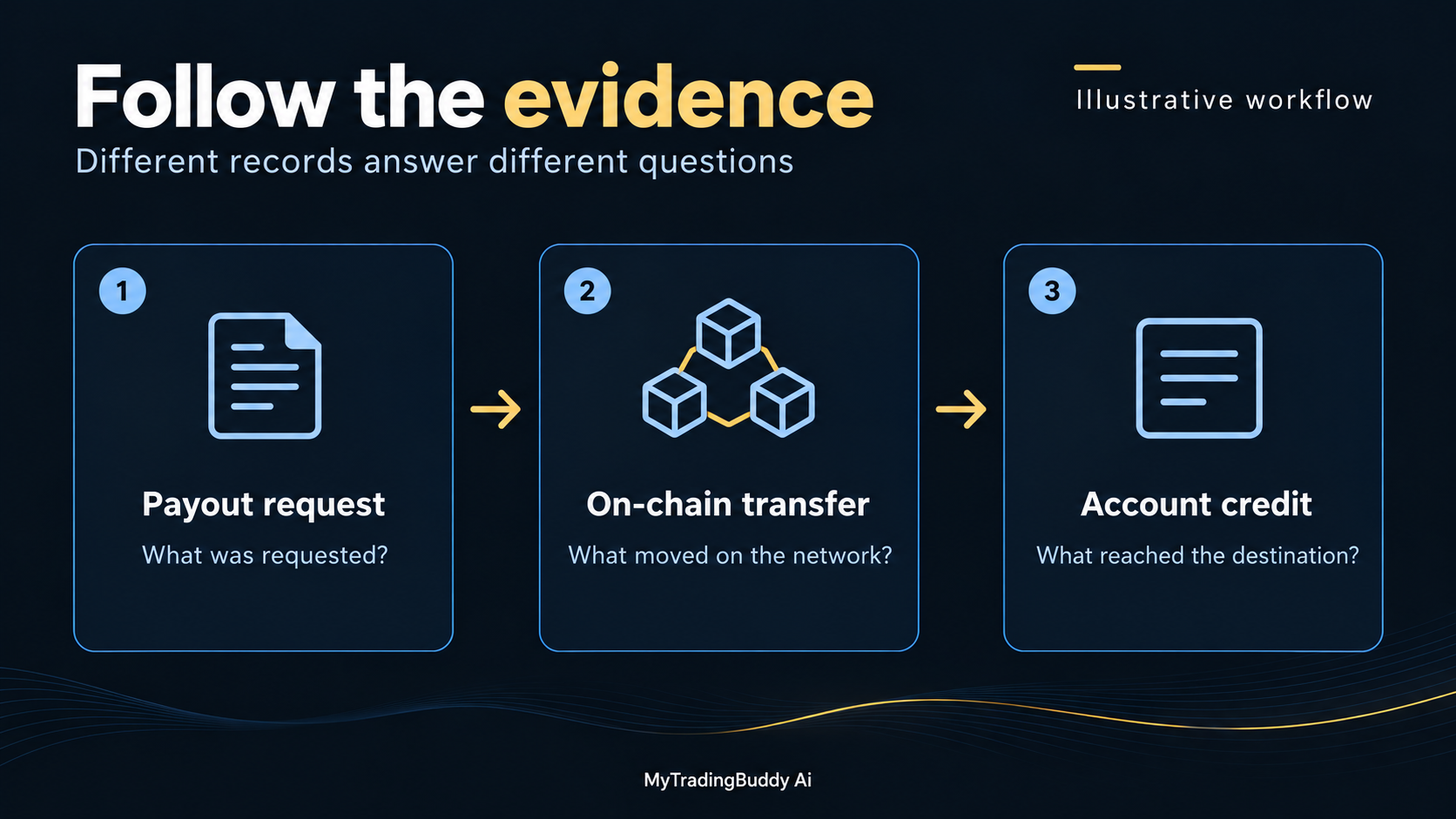
A prop firm crypto payout tracker is useful when you can follow a reported payment back to its blockchain record. To check your own payout, collect the network and transaction hash, inspect the actual asset transfer, and match the recipient and amount to your payout request.
A screenshot with a green checkmark is a starting point. The useful evidence is the record behind it.
This guide walks through that verification without asking you to connect a wallet to a tracker. Sources were reviewed on October 8, 2026. All amounts in the worked example are invented.
What a prop firm crypto payout tracker can verify
Separate the tools before you use them.
A firm-level tracker groups payment activity by firm. A block explorer lets you inspect the public record of a particular transaction. Your receiving account shows whether the service you use has credited that transfer.
Etherscan's block explorer guide explains that an explorer can display transaction status, addresses, values and token activity. It also states that Etherscan cannot reverse payments or recover funds.
For firm research, Payout Junction's methodology describes checking a transaction on its network, identifying the token contract and recording the amount and settlement time. That establishes a useful verification workflow. It does not give an explorer access to the firm's private approval decision or to your exchange account.
Our approach is to match the public transaction to the private request. Both records matter.
Start with a complete payment reference
Ask the firm or processor for these details when a crypto payment has been sent:
| Detail | Why you need it |
|---|---|
| Firm payout or processor reference | Connects the transfer to your request |
| Network | Identifies where to look for the transaction |
| Transaction hash | Identifies the transaction to inspect |
| Token and, where relevant, token contract | Distinguishes the asset from a similar name |
| Receiving address | Lets you compare the destination with your instructions |
| Amount sent and fees deducted | Gives you something specific to reconcile |
| Time sent and timezone | Helps you compare records across services |
If the payment is only approved and has not been broadcast, ask for the current processing stage. Do not label it a failed blockchain transfer when no blockchain transaction has been provided.
Keep the full reference in your private records. If you discuss the issue publicly, remember that publishing a transaction hash can connect your identity with public wallet activity.
Check the payment in five steps
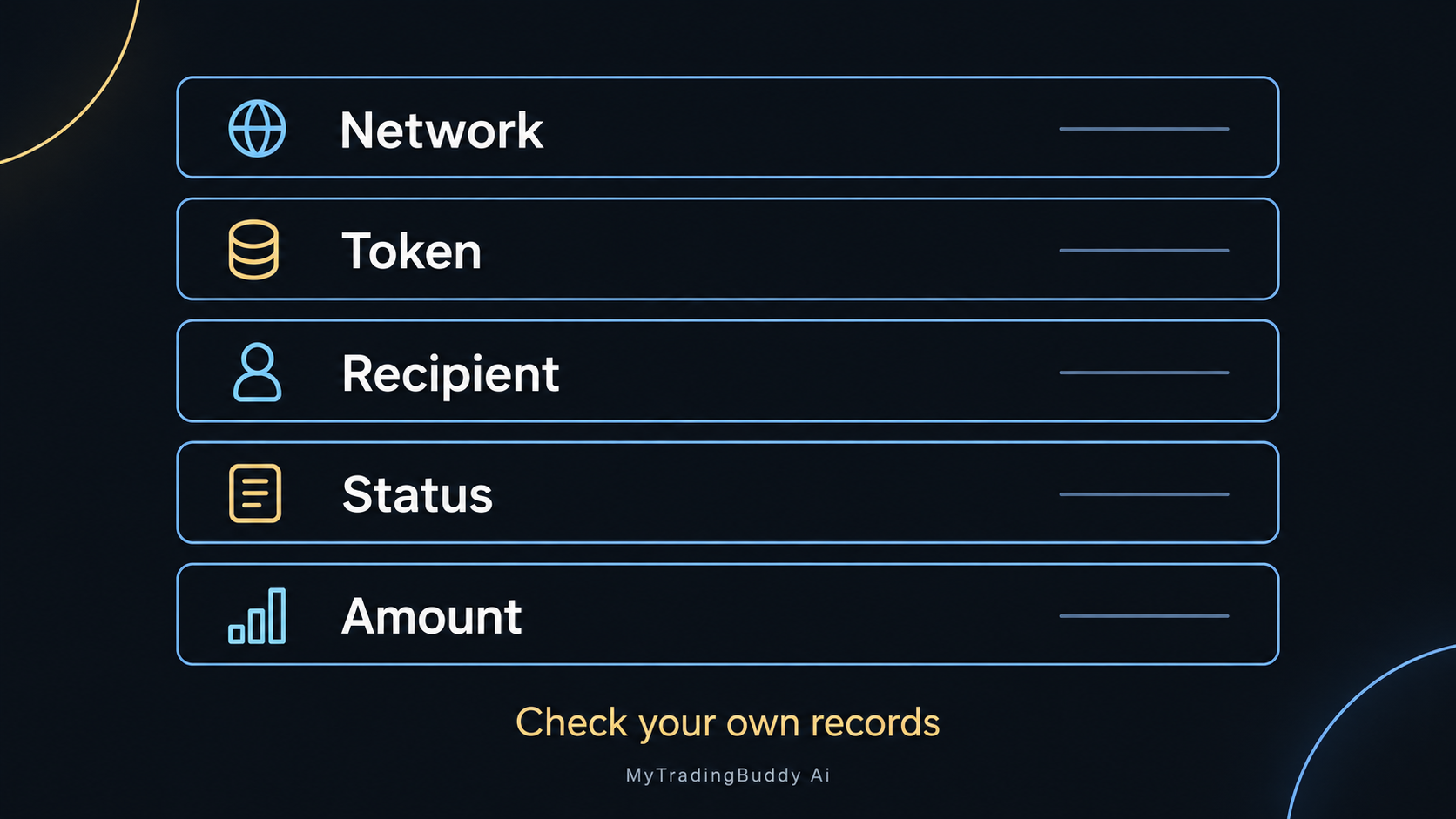
1. Confirm the network and destination
Use the network recorded in the withdrawal details. If a hash does not appear in one explorer, check that you are looking at the correct chain before drawing a conclusion.
Also compare the asset and network with the receiving platform's supported deposit options. Coinbase's receiving guide specifically warns that assets such as USDC exist on multiple networks and that the selected network must be supported. Some assets also require a destination tag or memo.
Check those details before requesting a transfer. A matching ticker alone is not enough.
2. Look up the transaction hash
Open the explorer through the provider's official transaction record or a trusted network reference. Paste the full hash into its search field.
Read the status and timestamp. Etherscan documents several possible transaction statuses, including pending, successful, failed and dropped.
A pending record has a different meaning from a completed transfer. A failed or replaced transaction needs the sender's explanation and, where applicable, the replacement reference. Refreshing a payout certificate will not resolve that distinction.
3. Inspect the actual asset transfer
Check the token transfer details, not just the page title or headline transaction value. Match the receiving address and token amount to the expected payment.
For tokens on EVM networks, the contract address identifies the particular token. Circle publishes official USDC contract addresses by network and separates mainnet from testnet entries. Use the relevant issuer's official documentation when checking an asset; do not trust a familiar name or logo alone.
If the record involves a contract, read the transfers associated with it. Etherscan's event-log explanation describes how contract events expose information about activity. Save the specific transfer entry relevant to you when a transaction contains several events.
4. Match the amount to the payout statement
Compare the amount approved, the amount the processor says it sent, and the token amount received. Record any stated deduction separately.
Keep units explicit. A token quantity, a dollar estimate displayed by an explorer and a bank-account credit after conversion are different measurements.
If they do not reconcile, ask for an itemized explanation. Do not fill the gap with an assumed network fee.
5. Confirm credit in the receiving account
A successful public transfer and a usable exchange balance are separate checkpoints. Coinbase's pending-transaction guidance explains that confirmation requirements can keep an incoming transaction pending.
Check the requirements for your actual receiving service and asset. There is no single confirmation count that applies to every exchange and network.
When the expected transfer is visible on-chain but absent from your receiving account, keep the explorer link and contact that service through its official support process.
A worked reconciliation example
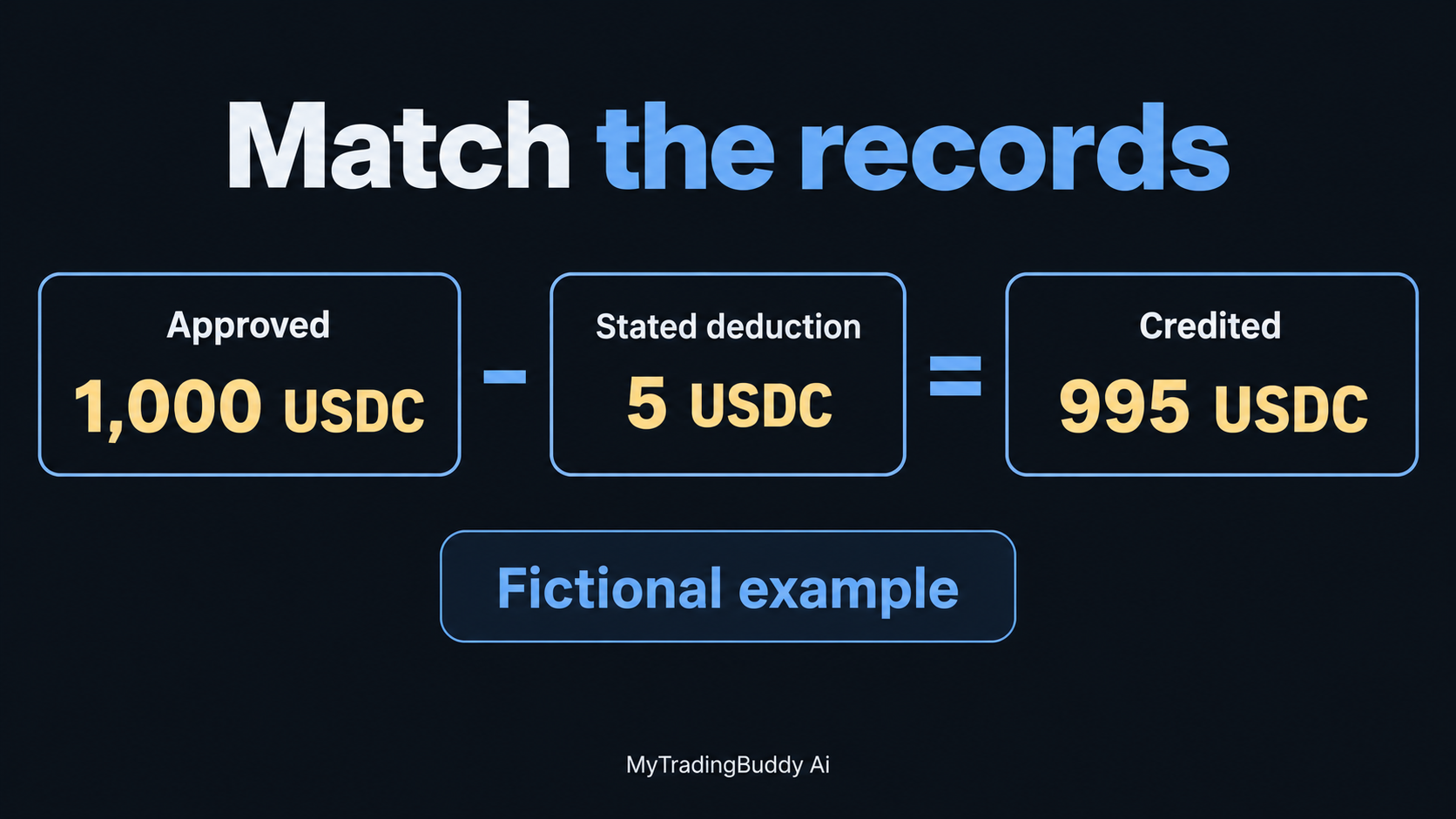
Suppose a fictional firm approves a payout of 1,000 USDC. Its statement shows a 5 USDC processing deduction and a 995 USDC transfer to the address you supplied.
| Record | Amount | What it establishes |
|---|---|---|
| Approved payout statement | 1,000 USDC | Amount approved under the firm's process |
| Itemized processing deduction | 5 USDC | Stated reason for the difference |
| Transfer to the expected address | 995 USDC | Token amount shown in the relevant transfer |
| Receiving-account credit | 995 USDC | Amount credited by the receiving service |
The arithmetic is 1,000 minus 5 equals 995 USDC. The record is reconciled when the deduction, transfer and credit all match.
Now change one fact: the explorer shows only 990 USDC reaching the address. Five USDC is still unexplained. Ask the sender for the missing detail rather than quietly adding another fee to your spreadsheet.
Or change the destination: the record shows 995 USDC sent to a different address. The amount matches, but the receipt does not establish payment to your nominated destination.
These are examples of how to check evidence, not published fee schedules or real customer results.
Read firm-level totals with a defined scope
A tracker can help you investigate a firm's payment activity, but a large number needs context.
Payout Junction warns that its tracked volume may not include all payout methods. It also notes that firm-associated wallets can be used for operational expenses. A wallet transfer therefore needs a defensible connection to a trader payout before you count it as one.
When evaluating a dataset, ask the operator:
- Which networks and payment methods are included?
- How is a sending wallet attributed to a firm?
- How are internal transfers or other expenses handled?
- Does the count represent transactions, payout records or distinct recipients?
- When was the dataset last refreshed?
- Can the supporting transaction records be inspected?
These are our suggested research questions, not a claim that every tracker publishes every answer.
Avoid adding together totals from two trackers unless you can identify and remove overlapping records. The same public transfer may appear on both sites. Two sightings do not create two payments.
Our Payout Junction vs PropFirmMatch comparison explains the different kinds of evidence those services present.
Troubleshoot the exact mismatch
| What you can establish | Useful next step |
|---|---|
| Approved request, no transaction reference | Ask the firm or processor whether it has sent the payment |
| Hash not found on the expected network | Recheck the full hash and network with the sender |
| Pending or failed transaction | Ask the sender about the transaction status and any replacement |
| Correct transfer, exchange credit missing | Check the receiving service's confirmations and account requirements |
| Wrong destination or unexpected token | Contact the sender and receiving service promptly with the exact record |
| Amount differs from the payout statement | Request a breakdown of deductions and any split payments |
Coinbase's troubleshooting guide likewise directs recipients to check the address, network, explorer record and outstanding account actions. Follow the instructions of your own provider.
A public explorer lookup should not require your seed phrase or a token approval. Keep the investigation read-only. If someone asks you to sign a transaction to “verify” a receipt, stop and check the request through the provider's official channel.
For a dispute about eligibility or a rejected request, read our payout-denial guide. That is a different problem from a transfer awaiting confirmation.
Common questions about crypto payout proof
Does a successful transaction prove a firm is financially healthy?
It establishes evidence about that transaction. It does not reveal every outstanding obligation, the firm's finances or what happens to your next request. Use the payment record alongside the firm's rules and the wider checks in our prop firm red-flags guide.
Does the largest payout show what a typical trader receives?
No. A maximum describes one extreme record. You need the distribution, the count and the dataset's scope to understand how representative it is.
Should a payout request, transfer and exchange credit be counted separately?
Keep all three as stages of one payment in your own ledger. Do not add them together as three separate earnings events.
Can MyTradingBuddy Ai track the crypto transfer?
Use the payment provider, explorer and receiving account for that job. MyTradingBuddy Ai helps you analyze chart screenshots across timeframes and review a setup against your playbook.
Once you have reconciled the payment, return to the process you control before an entry: review your levels and check your trading plan. Get started with MyTradingBuddy Ai.