
6 min readMyTradingBuddy
Market Order vs Limit Order: Price and Fill Trade-offs
Market order vs limit order: compare price control, partial fills, futures protection rules and time-in-force with a simple order-book example.
Share this
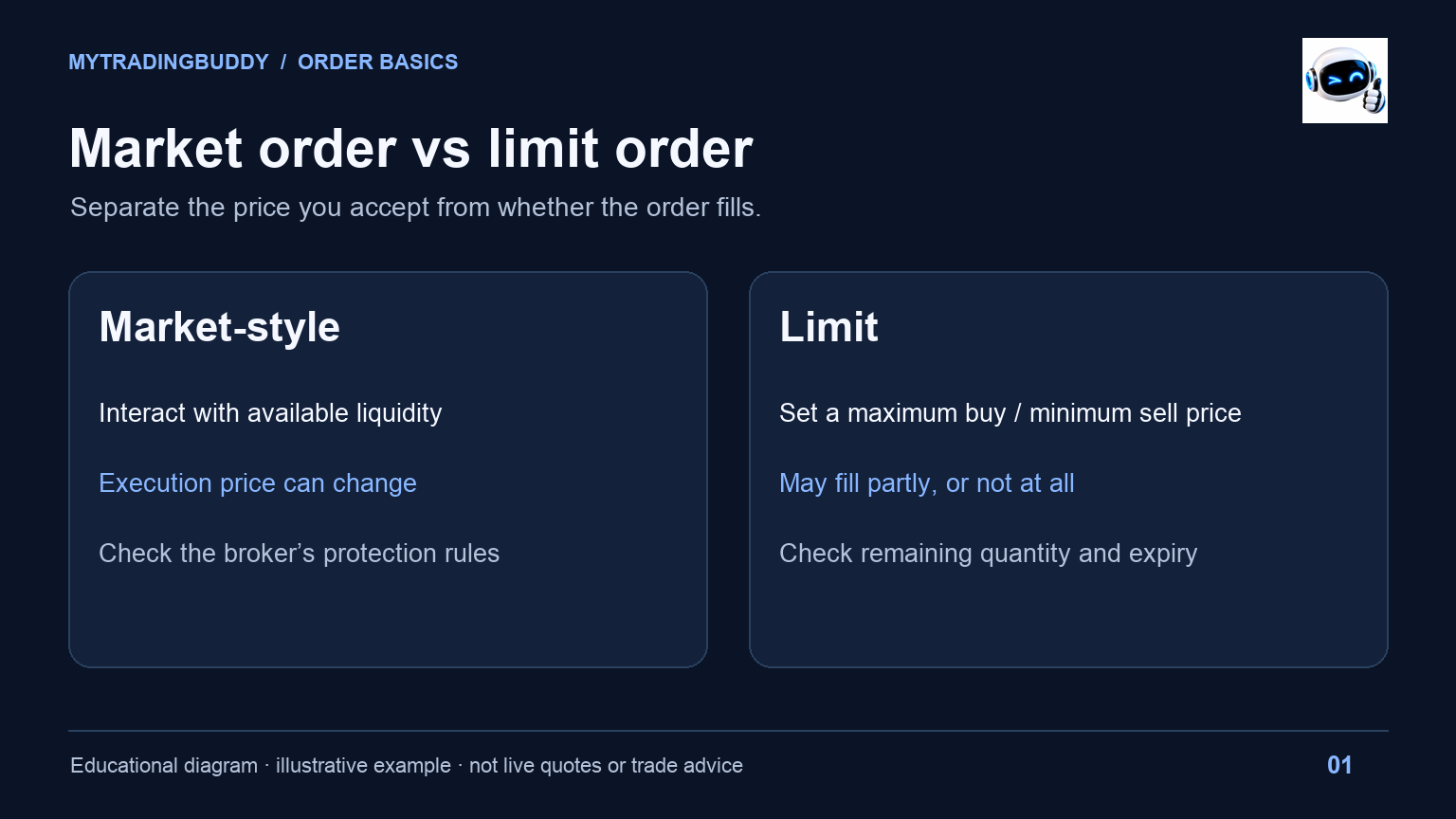
A limit price controls what you are willing to pay or accept. A market-style order prioritizes interacting with available liquidity. That is the useful starting point for market order vs limit order: price control and execution are separate decisions.
For futures traders, the button label is only part of the instruction. The exchange, contract and broker determine the order types available. Read the confirmation screen, especially when switching platforms. The examples below are invented order-book exercises, not current quotes or trade recommendations. Documentation checked on October 13, 2026.
Market order vs limit order in one table
| Question | Market-style order | Limit order |
|---|---|---|
| What do you specify? | Direction and quantity, plus supported instructions | Direction, quantity and a price boundary |
| What is the main trade-off? | Execution price can differ from the displayed quote | The order may remain unfilled |
| Can there be several fills? | Yes, depending on available liquidity | Yes, when only part of the quantity is available |
| What needs checking? | Protection rules, market availability and broker handling | Limit price, remaining quantity and expiry |
| Does the chart's last price settle the question? | No | No |
For a buy limit, the boundary is the highest acceptable price; for a sell limit, it is the lowest. A better price is possible. A displayed price alone does not tell you how much quantity you can trade there. CME's explanation of futures order types distinguishes these instructions and the market-order variants.
What happens when your order meets the book?
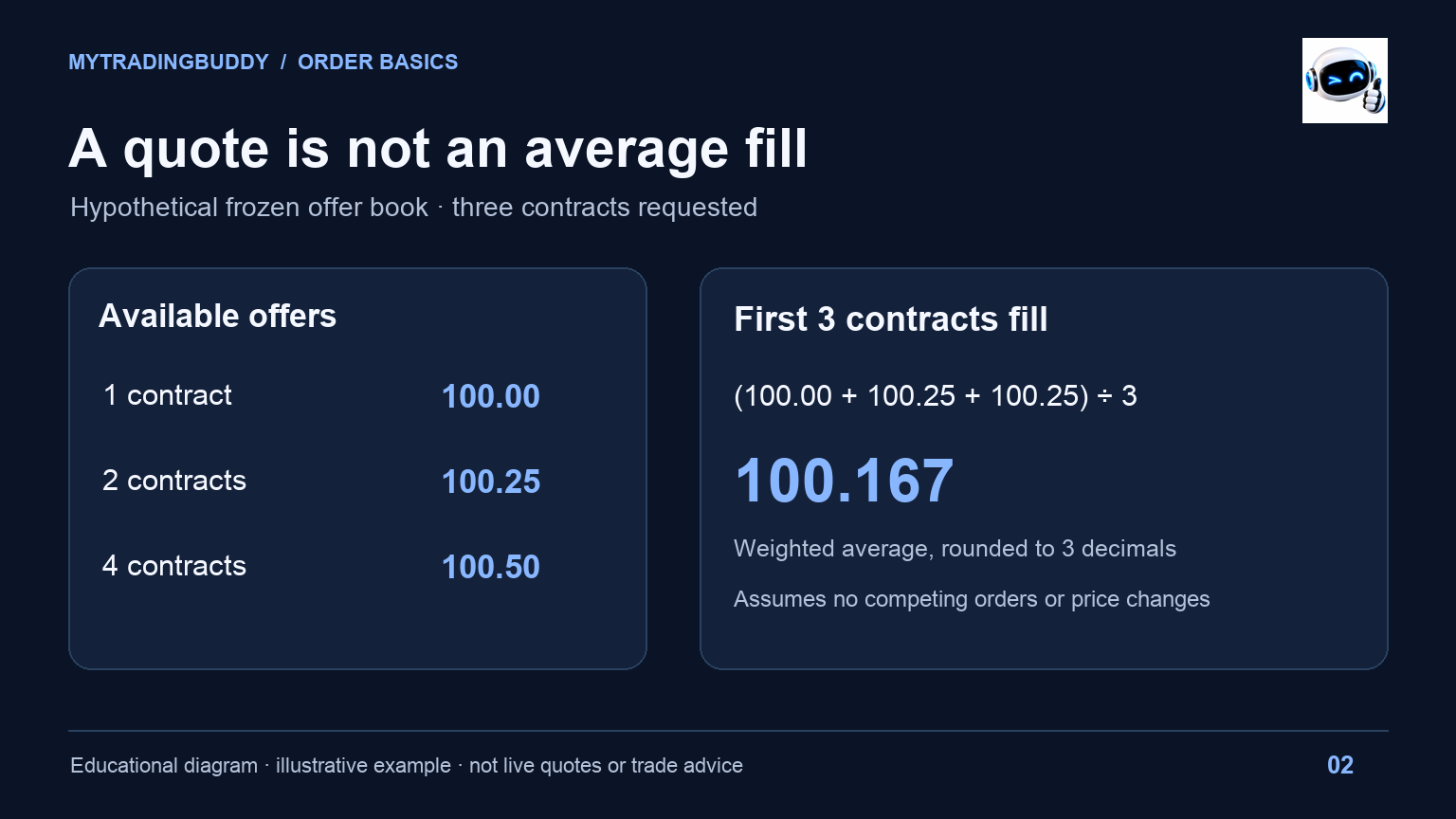
Consider a simplified, frozen offer book for an imaginary futures contract:
| Available quantity | Offer price |
|---|---|
| 1 contract | 100.00 |
| 2 contracts | 100.25 |
| 4 contracts | 100.50 |
Suppose an eligible buy order takes three contracts from those offers, with no competing orders or price changes. One fills at 100.00 and two at 100.25. The weighted average is (100.00 + 100.25 + 100.25) ÷ 3, or about 100.167.
The first quote was 100.00. The average fill was different. This exercise deliberately removes latency and changes in available quantity so the arithmetic is visible. A real order book keeps changing while an order travels from your platform.
Now write two separate lines in a practice log: “price observed when deciding” and “average execution price.” If you record only a screenshot and one entry number, you cannot tell later whether your complaint concerns the analysis, the quote you saw, or the actual fills.
A limit price can mean waiting or a partial fill
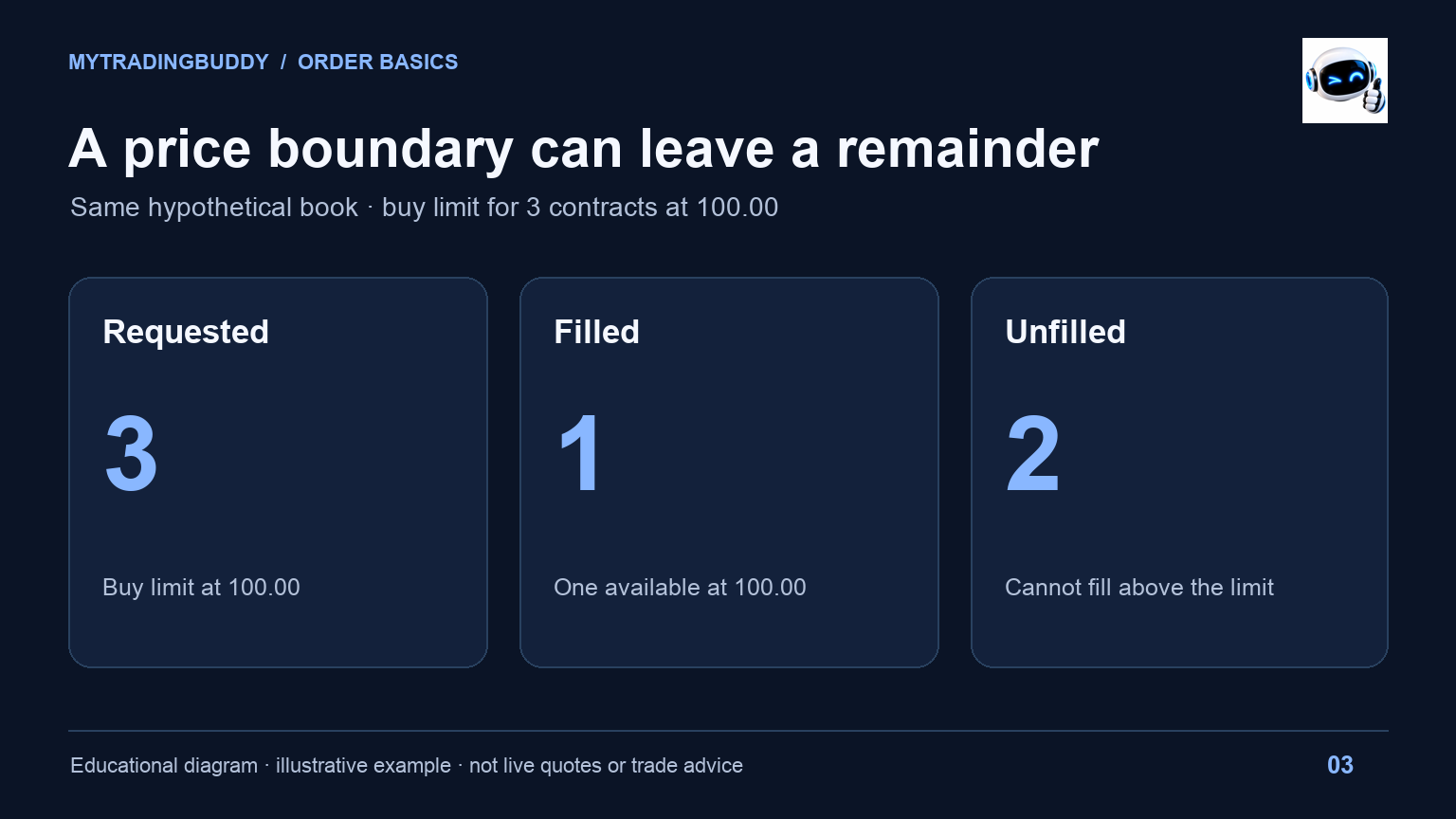
Use the same invented book. A buy limit for three contracts at 100.00 can take the one contract offered there under our simplified assumptions. The other two cannot execute above that boundary.
A buy limit at 100.25 could interact with the first two price levels in this example. A limit order therefore does not necessarily sit passively away from the market. Its price can make it immediately eligible to trade.
Write down the remaining quantity after the first fill. One filled contract plus two working contracts is a different situation from three filled contracts. The entry line on a chart can make those states look deceptively similar.
For practice, try describing the order without using “it worked” or “it failed.” A useful record says: submitted quantity three; filled quantity one; remaining quantity two; limit 100.00. That gives the next review something specific to examine.
Why futures market orders may have protection
CME Globex uses market orders with protection to restrict execution to a defined price range. If quantity remains after execution within that range, it can rest as a limit order at the protection boundary. Product availability and the way you access the exchange matter. See the order-type section in the CME Globex Reference Guide.
Do not translate “market” into “every contract will immediately fill at whatever price is necessary.” Equally, a protection boundary is not the same as a price you selected for your trade plan.
CME also describes a market-limit order: it seeks the available price, then leaves unfilled quantity as a limit order. Ask your broker which instruction its market button sends for your contract. Save the answer beside your platform notes, not as an assumption carried over from a stock-trading app.
An example question for support is: “For this contract and order quantity, what happens to any unfilled remainder?” It is more useful than asking whether market orders are fast.
Time-in-force changes how long the instruction lasts
Order type and time-in-force answer different questions. One concerns execution conditions; the other concerns how long the instruction remains active.
In Interactive Brokers' example, an unexecuted DAY order is canceled at the end of the trading session. A GTC order remains working subject to the broker's conditions, including its auto-cancel rules. Review the cancellation date and session settings shown in the IBKR GTC order lesson.
Do not assume GTC means permanent, or that every product and session accepts the same settings. Check the order ticket and the broker's documentation for the account you actually use.
A practical review note might read: “Buy limit, two contracts, DAY; recheck open orders before finishing the session.” Keep the order's status beside that note. A forgotten working entry can outlive the chart idea that motivated it.
Compare the instructions with a practice log
For your next simulation exercise, create two rows using the same hypothetical setup. Change only the order instruction. Record:
- The contract, session and observation time.
- Bid and ask when you made the decision.
- Order type, limit if any, quantity and time-in-force.
- Each fill, the weighted average and unfilled remainder.
- Whether you changed or canceled the instruction, and why.
Compare execution quality separately from what price did afterward. An unfilled limit followed by a favorable move does not establish that the limit was a poor choice. A quick fill followed by an unfavorable move does not establish that market orders caused the loss.
One scenario is only a worked example. Preserve the original record rather than reconstructing it after seeing the next candle. The point of the exercise is to understand which part of your instruction produced the observed order state.
Check the ticket before submitting
Read direction, contract, quantity, order type, price boundary, time-in-force and current working orders. If a partial fill would change your intended exposure, decide how you will handle it before submitting.
For market order vs limit order, there is no universal button that solves both price selection and execution. The useful choice begins with knowing what your ticket actually instructs the broker to do.
MyTradingBuddy Ai can support a separate chart review by bringing analysis, levels and timeframe context into view. It does not turn a screenshot into an execution receipt. Compare the available MyTradingBuddy plans if that review workflow fits the way you work.
Related reading
- Chart basics: support, resistance and order blocks for separating a chart idea from an entry instruction.
- Trailing drawdown for understanding account constraints alongside execution.
- Best times to trade NQ for session context to include in your practice log.